Skip to content
Nametech Canada

ERP Solutions in Surrey, BC

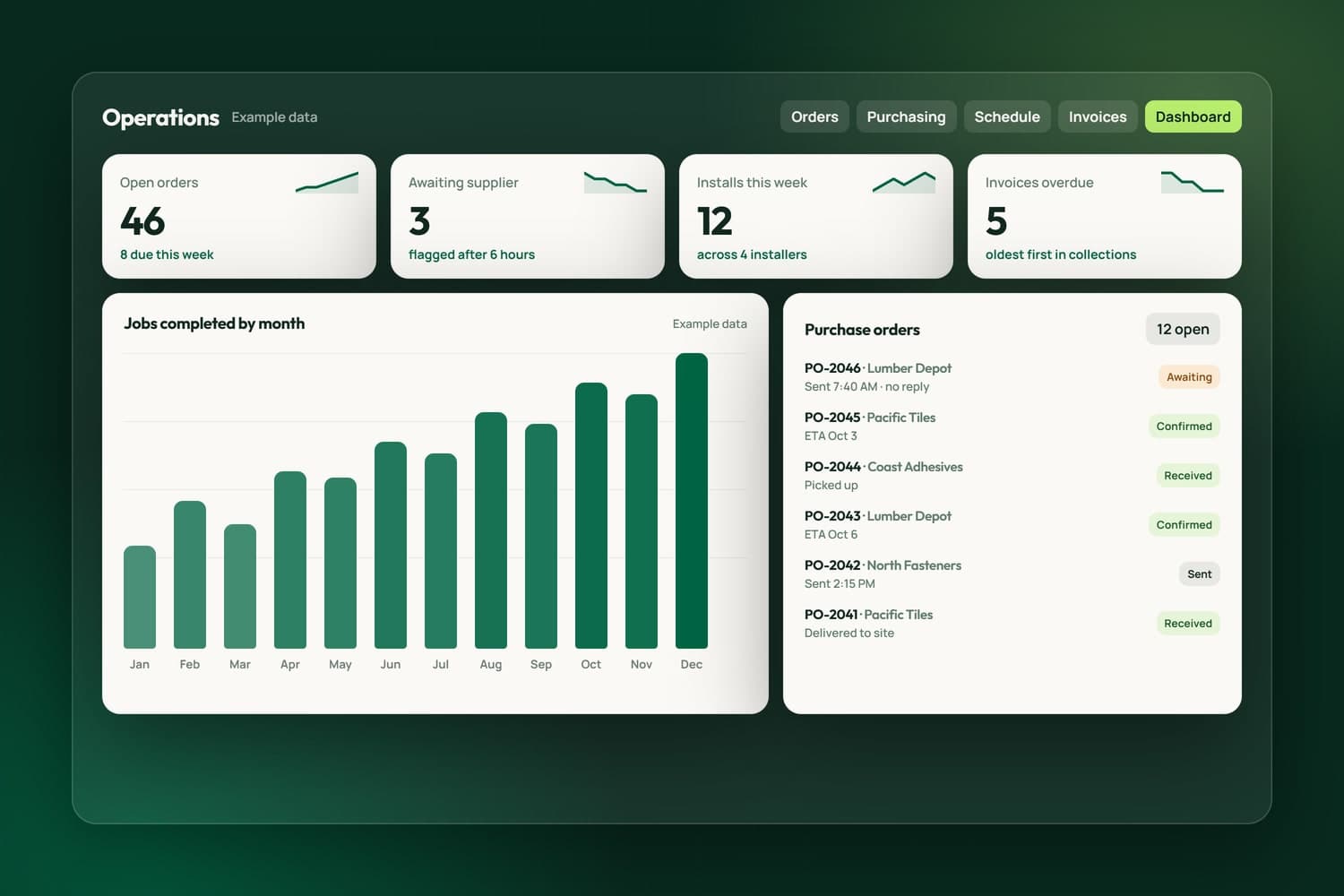
An operations dashboard with example data: open orders, purchase orders awaiting a supplier, installs this week and overdue invoices

We build ERP and operations software for businesses in Surrey, across the Lower Mainland and elsewhere in Canada: the system behind the sale, where quotes, orders, purchase orders, installs, invoices and payments live. We do not resell or configure a packaged ERP. We build the system around how your business already works, and connect it to the tools you keep.

Two systems we run every day set the standard. iFloor runs a Richmond flooring store: labour priced on the server from the owner's rate card, purchase orders written per supplier, installs scheduled by installer, invoices built from what the customer signed, and commissions recorded the moment a sheet is finalized. The money side of NameCRM keeps our own books: invoices finalized through Stripe, recurring plans, and every payment, refund and fee reaching QuickBooks Online with the same numbers.

Most projects start with one painful handoff: an order retyped into a supplier email, or an invoice rebuilt by hand from a quote. We map how work moves through your business in the free assessment, build that part first, and add the rest in small releases your team can use as we go. The code and your data are yours.

What we have built

Operations and accounting we built and run

The money side of NameCRM keeps our own books, and iFloor runs a Richmond flooring store's orders, installs and invoices every day. Each line is taken from the product itself, and the numbers were counted on the date shown.

systems checked against each other: Stripe, the CRM and QuickBooks
3
Stripe events handled
18
hours before a silent supplier is flagged
6
iFloor tests before every release
578

Counted on September 28, 2026, from the products' own code and test records.

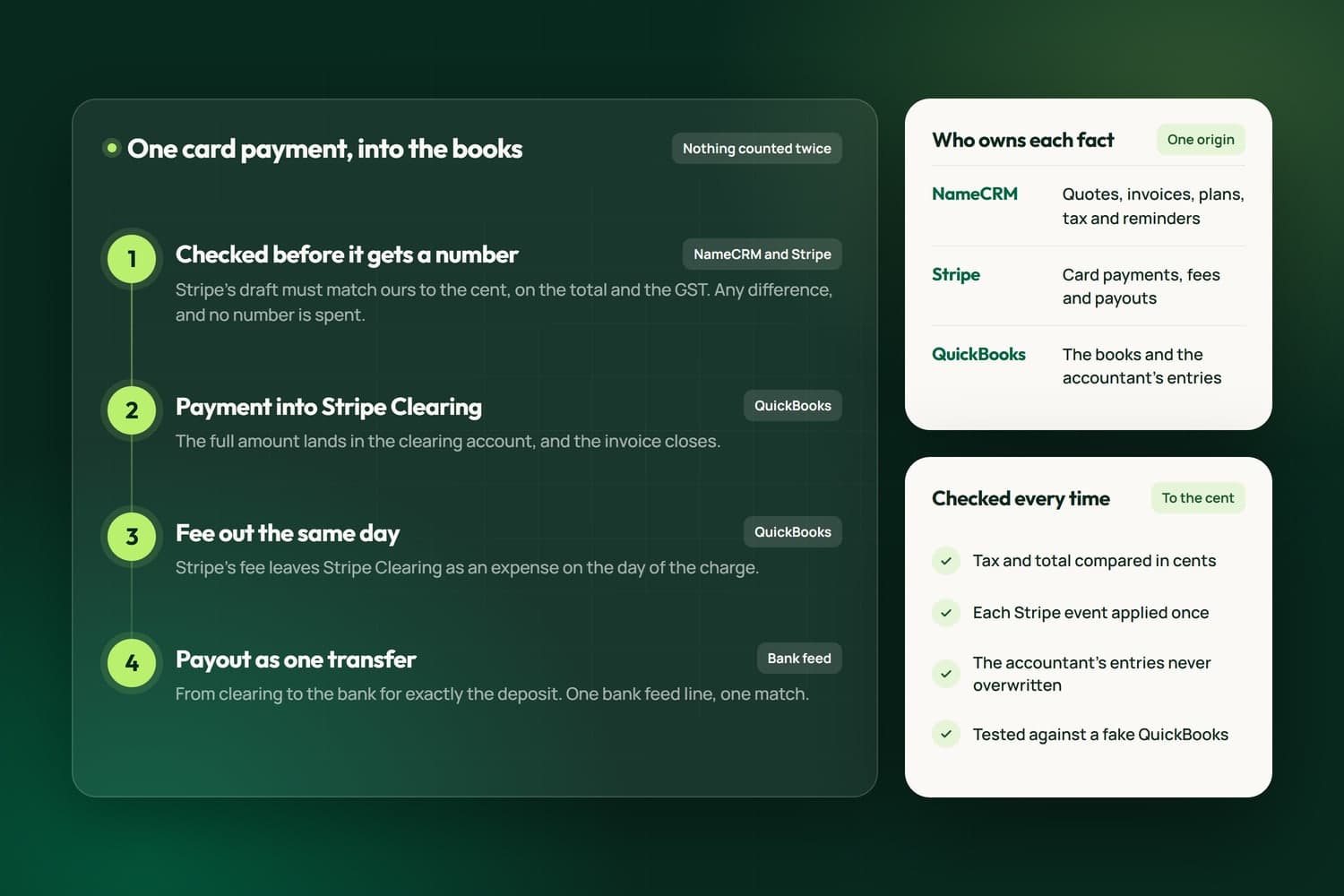
How one card payment travels from NameCRM through Stripe into QuickBooks, and which system owns each fact
NameCRMQuickBooks Online that matchesHow one card payment travels from NameCRM through Stripe into QuickBooks, and which system owns each fact.How we built it

In NameCRMThe CRM we built and run our own business on

See NameCRM
  • NameCRM

    QuickBooks Online that matches

    Customers, invoices, payments, refunds, fees and payouts reach QuickBooks Online with the same numbers. Totals are checked across Stripe, the CRM and QuickBooks, and card money runs through a clearing account so nothing is counted twice.

    How we built it
  • NameCRM

    Invoices numbered only when Stripe agrees

    An invoice is finalized through Stripe and verified to the cent. If the totals disagree, the Stripe copy is voided and your draft stays untouched, so a wrong number never gets an invoice number.

  • NameCRM

    Books kept weekly, not at tax time

    A rule book files recurring transactions and a review queue catches the rest, while revenue, expenses and profit are read live from QuickBooks' own reports, so the CRM never shows a second answer.

  • NameCRM

    Refunds, credits and write-offs, booked right

    Refund part or all of a payment, credit an open invoice without moving any money, or write it off, and each one reaches the books correctly.

  • NameCRM

    US dollars counted in Canadian

    A payment in US dollars is stored with the Canadian amount Stripe actually settled, so every revenue total adds up in one currency.

  • NameCRM

    Overdue invoices, oldest first

    Overdue invoices line up oldest first, with reminder drafts that move from gentle to firm to final, and a promised-date field that shows the moment a promise is missed.

In iFloorThe system a Richmond flooring store runs on every day

See iFloor
  • iFloor

    An order book with suppliers and dates

    Every order line carries its supplier, purchase order, expected date and fulfilment type, with bulk actions, filters and export, and a purchase order with no supplier confirmation after 6 hours is flagged the same day.

  • iFloor

    Prices that never rewrite themselves

    Every labour sheet is priced on the server from the store's rate card and stamped with a fingerprint of that card, so a rate change next month never rewrites a price a customer already saw.

    Read the iFloor case study
  • iFloor

    Invoices from what was signed

    Invoices are built from the finalized labour sheet with deposits applied, and each job keeps one invoice number forever, so an invoice cannot disagree with what the customer approved.

  • iFloor

    GST, PST and exemptions built in

    Quotes apply GST and PST separately, honour a customer's PST exemption, and tax shipping for GST only because it is a service. Reports cover GST remittance, invoice aging and revenue by installer.

  • iFloor

    Installer pay that cannot overshoot

    Installers get numbered invoices in their own name for completed jobs, and the server refuses a payment above the job's labour total. Commissions are recorded at each salesperson's rate when a sheet is finalized.

  • iFloor

    35order columns carried across

    Moved off the old system on day one

    The store's previous order tool, built in Google Apps Script, was replaced on the first day of the build, with every order column carried into the new database, so the store kept its history.

See every feature behind our ERP Solutions work142 of the 433 live features of NameCRM and iFloor prove this service. The full list opens filtered to them, one sentence each.Browse the 142

Featured product: iFloor

The operations system we built for flooring stores

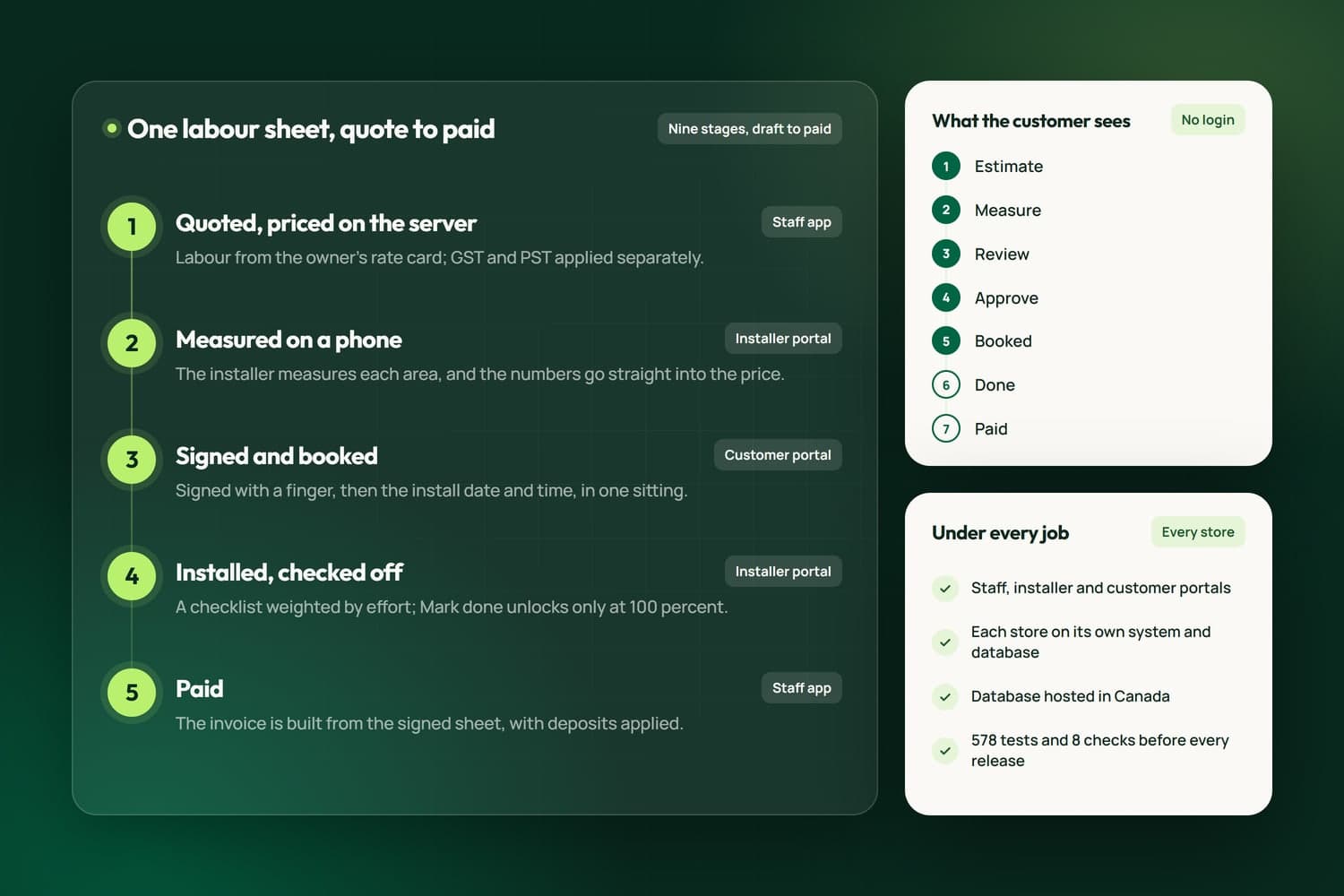
iFloor runs a flooring store's work from quote to paid: material quotes, labour sheets priced on the server from the owner's rate card, measurements taken on a phone, installs scheduled by installer, and invoices built from what the customer signed. Staff, installers and customers each get their own portal, and every store runs on its own system with its database hosted in Canada. It has been in daily use at its first store, in Richmond, since June 2026.

  • Quote to paid on one labour sheet
  • Staff, installer and customer portals
  • Calls, texts and email inside the app
  • Each store on its own system and database

How we work

From a free assessment to a system you own

The team behind Nametech has built websites and software since 2014. Every build follows the same five steps, from a one-page website to a CRM.

Book a Free Assessment
  1. Free assessment

    Thirty minutes on how work moves through your business today, your website and your tools, then a plain answer on what we would build first.

  2. Scope in writing

    A written scope and estimate that says what is included and what is not. Nothing starts until you approve it.

  3. Weekly releases, tested

    We build in small releases you can try as we go, and every release passes our automated tests before it reaches you.

  4. Launch

    Your records moved in and checked, your team shown how it works, and the switch made on a day that suits you.

  5. Care

    Fixes, updates and new features after launch, shipped as small releases with the same tests behind every one.

Case studies

Operations systems we have built

See all our work
How iFloor carries a flooring job from quote to paid on one labour sheet, the seven steps the customer sees, and the three portals

iFloor: Flooring Store CRM

iFloor is the operations software Nametech built for flooring stores: one labour sheet from quote to paid, priced on the server, measured on a phone and signed online, with portals for staff, installers and customers, and calls, texts and email inside the app.

View project
Custom Centralized CRM Platform

Custom Centralized CRM Platform

A centralized CRM platform for a Surrey organization, bringing several departments and legacy systems onto one secure platform with dashboards, automated workflows and generated letters and ID cards.

View project
Enterprise Online Hub System

Enterprise Online Hub System

A secure online hub built in Surrey that gives users one sign-in for their applications, with automated eligibility checks, guardian access, scheduling and a real-time community dashboard.

View project

Related Services

Explore our related services

All web and marketing services

Custom CRMs with client portals, e-signature, QuickBooks and Stripe built in.

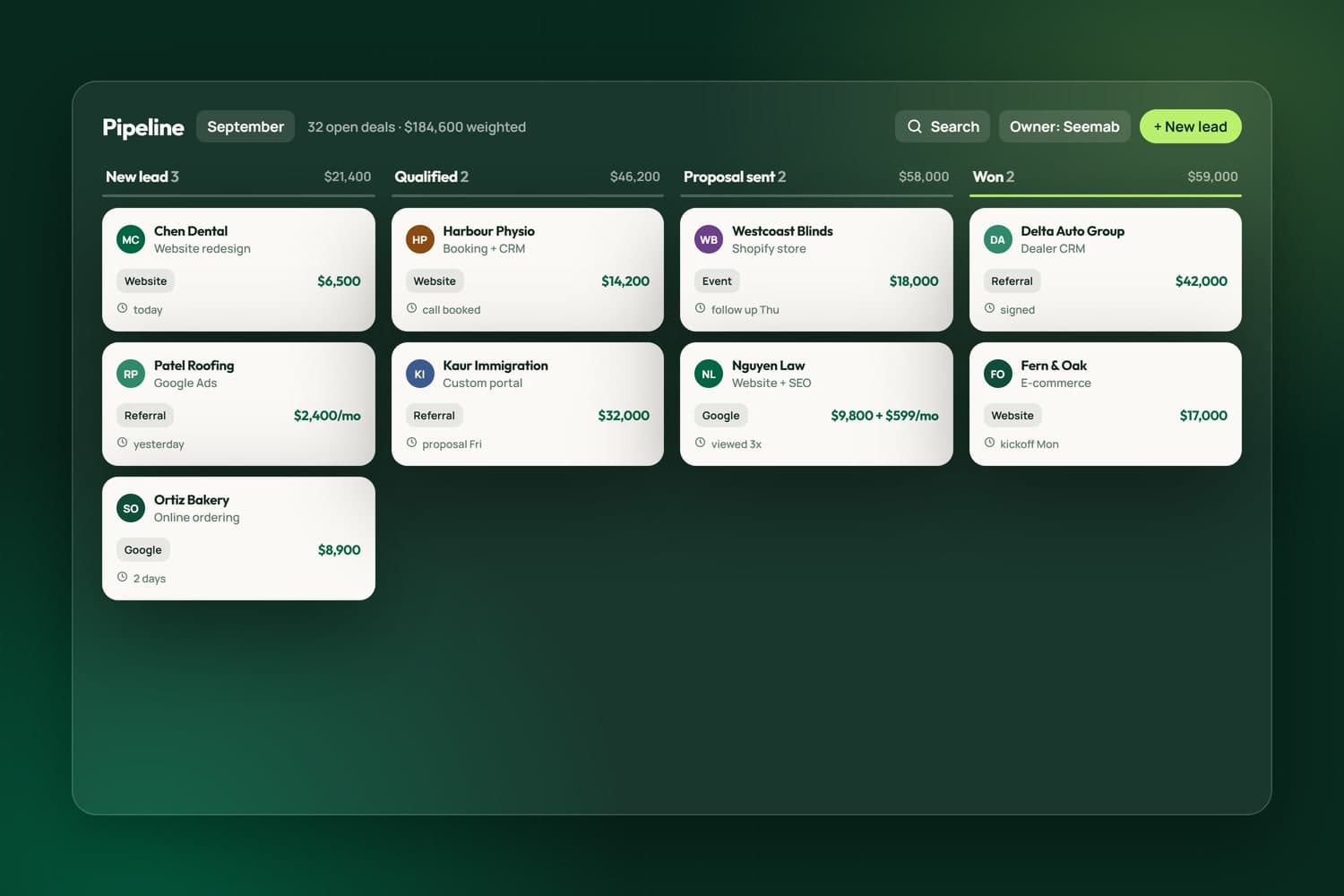
CRM pipeline from lead to won

AI, put to work: strategy, assistants, automation and AI-powered marketing, built securely.

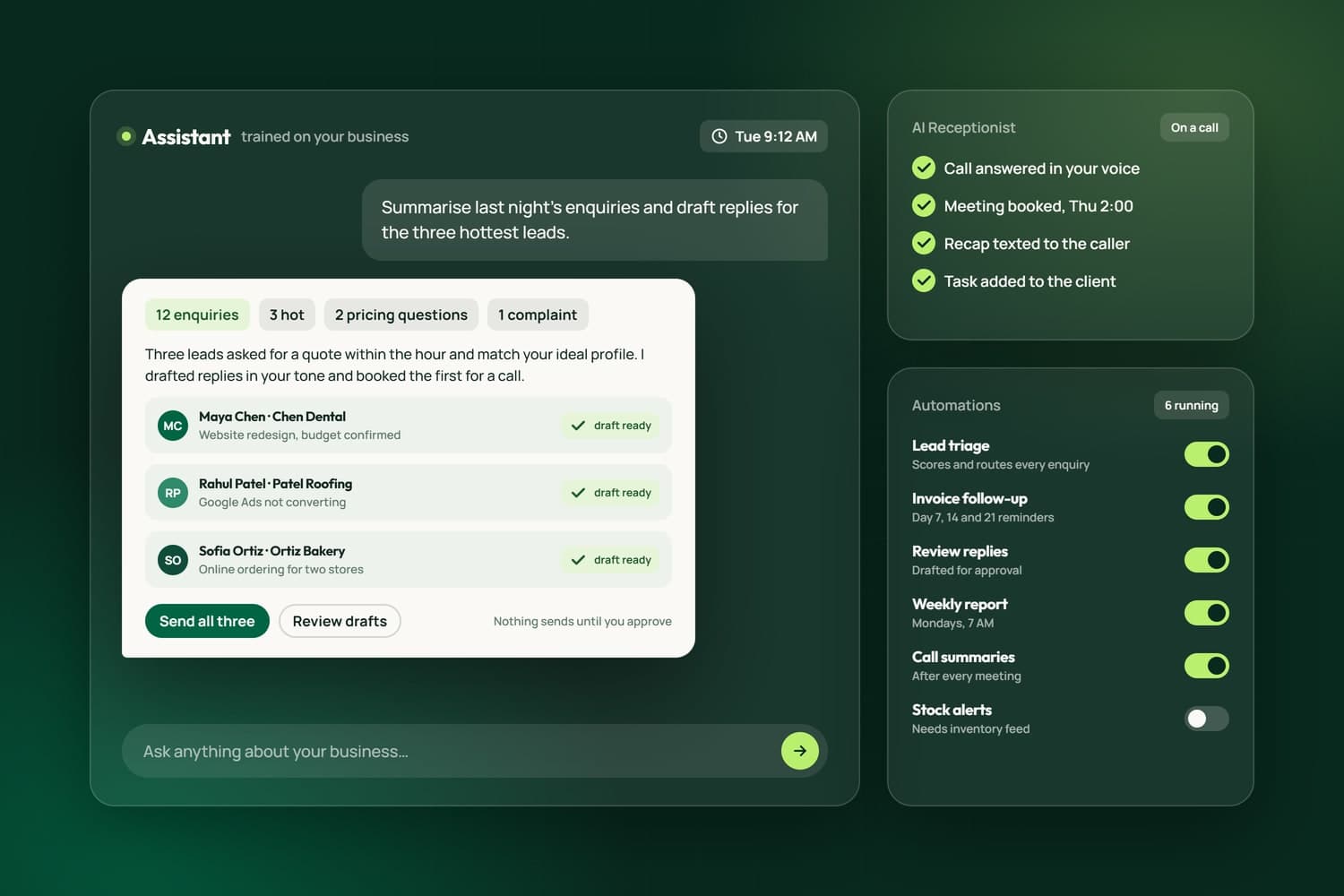
An AI assistant drafting replies for approval, the AI receptionist booking a meeting, and running automations

Storefronts and marketplaces designed to sell, on Shopify, WooCommerce or fully custom.

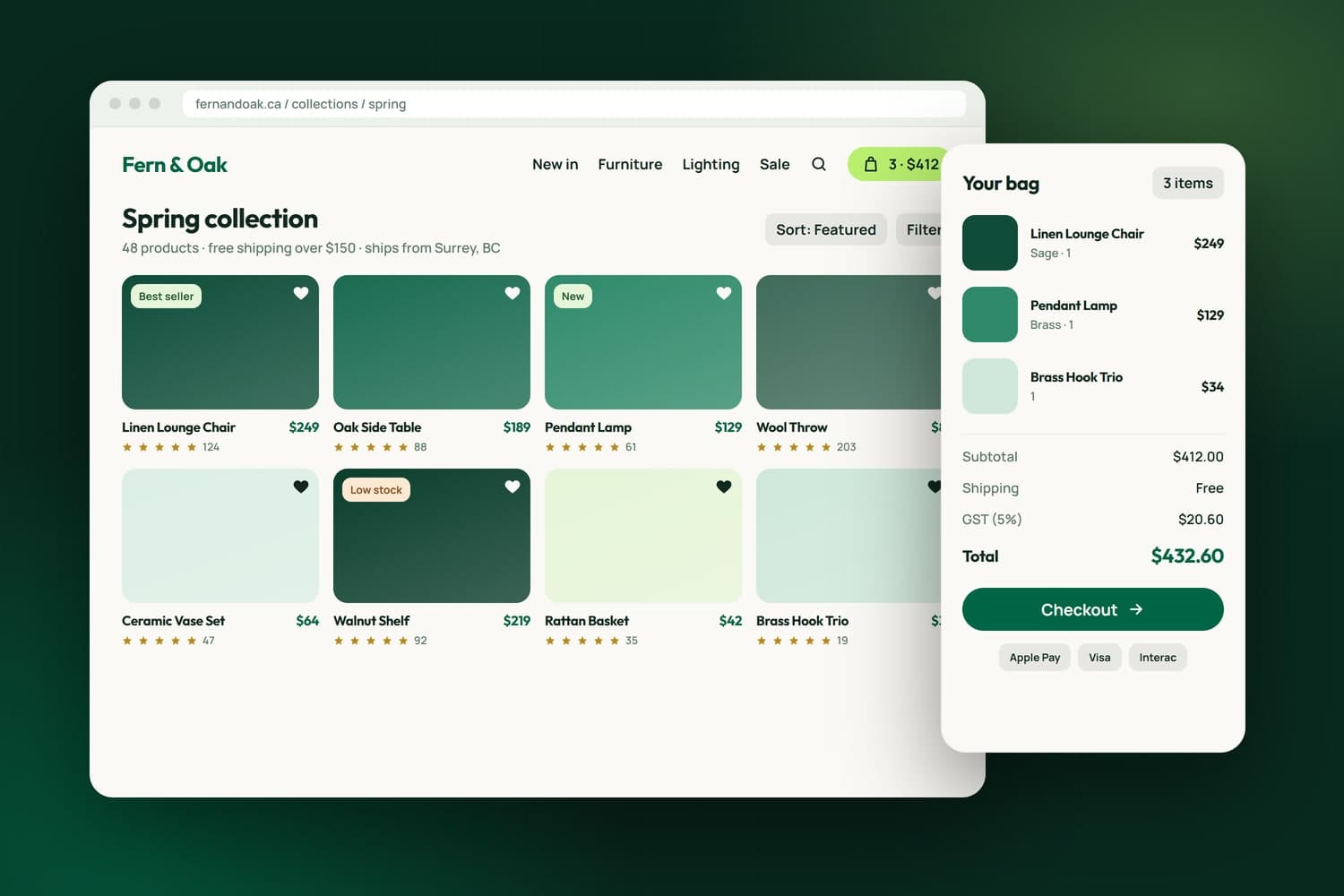
Custom e-commerce storefront with cart and checkout

Areas we serve

ERP and operations software for Lower Mainland companies

We build operations software from Surrey for businesses that quote, order, schedule and invoice, in Delta, Richmond, Burnaby, Langley, Vancouver, Coquitlam and New Westminster, and we visit your shop or office to see the process first-hand.

FAQ's

Frequently asked question

Do you set up SAP, NetSuite or another packaged ERP?

No. We do not resell or configure packaged ERP systems. We build operations software around how your business already runs, and connect it to the tools you keep, such as QuickBooks Online and Stripe. If a packaged system would genuinely suit you better, we will say so in the free assessment.

Can it connect to QuickBooks Online and Stripe?

Yes. Our own CRM sends every customer, estimate, invoice, payment, refund, fee and payout to QuickBooks Online with the same numbers, and checks the totals across Stripe, the CRM and QuickBooks. Card money runs through a clearing account so nothing is counted twice, and we can build the same connection into yours.

Does it handle GST, PST and tax exemptions?

Yes. iFloor applies GST and PST separately, honours a customer's PST exemption and taxes shipping for GST only, because shipping is a service. Its reports cover GST remittance, invoice aging and revenue by installer, and NameCRM prints the GST number on every invoice PDF. Your system can follow the same Canadian rules.

Can you move our orders out of spreadsheets or an old tool?

Yes. For iFloor, the store's previous order tool, built in Google Apps Script, was replaced on the first day of the build, with all 35 order columns carried into the new database, so the store kept its history. We move your records the same way and check them before you switch over.

Where is our data kept, and who can see it?

Each iFloor store runs on its own deployment and its own database, hosted in Canada in the Montreal region, so one store's data never mixes with another's. Admin, staff, installer and driver roles each see only their own part of the app, and customers, orders, invoices and payments export to CSV whenever you want them.

How long does an operations system take to build?

It depends on how much of the business it covers, so we do not publish a standard timeline. The written estimate splits the work into phases, and the first phase is something your team can use, such as the order book or invoicing. Later phases arrive as small weekly releases, each tested before it reaches you.

How much does ERP software cost for a small or mid-sized business?

It depends on which parts of the business the system covers, such as quotes, orders and purchase orders, scheduling or invoicing, and on the software it must connect to, like QuickBooks Online. We scope the work in phases, so you can start with the area that costs the most manual effort. A written estimate follows the free assessment, with GST added on top. Call 604-900-2060 for pricing, or read how our pricing works.

How does an ERP project start?

With a map of how work moves through your business today: who enters an order, how a purchase order reaches a supplier, how an invoice reaches your books. We draw it with you during and after the free assessment, recommend what to build first, and you approve the scope and the estimate before development begins.