
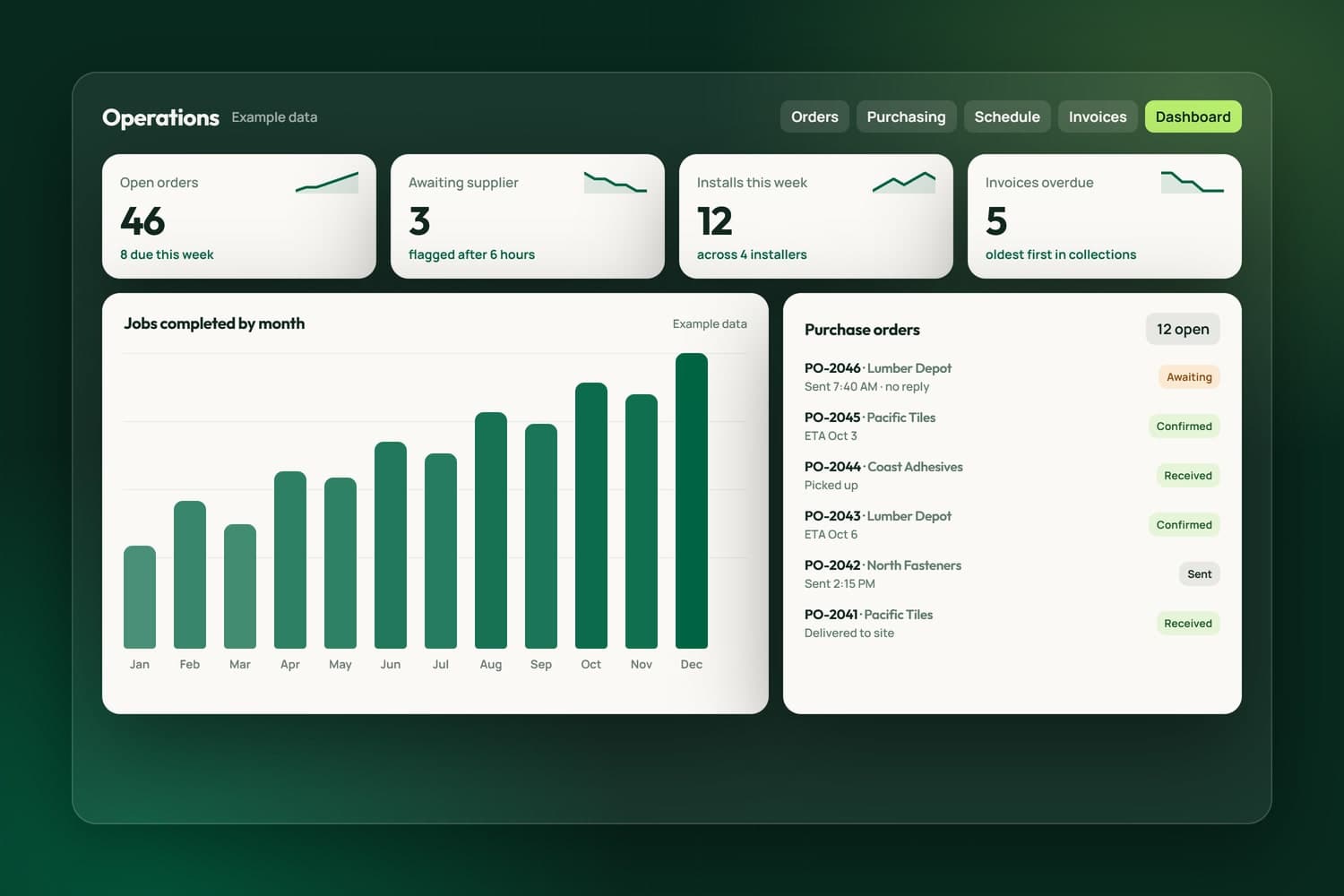
Operations software for orders, invoicing and QuickBooks Online, built around how you work.
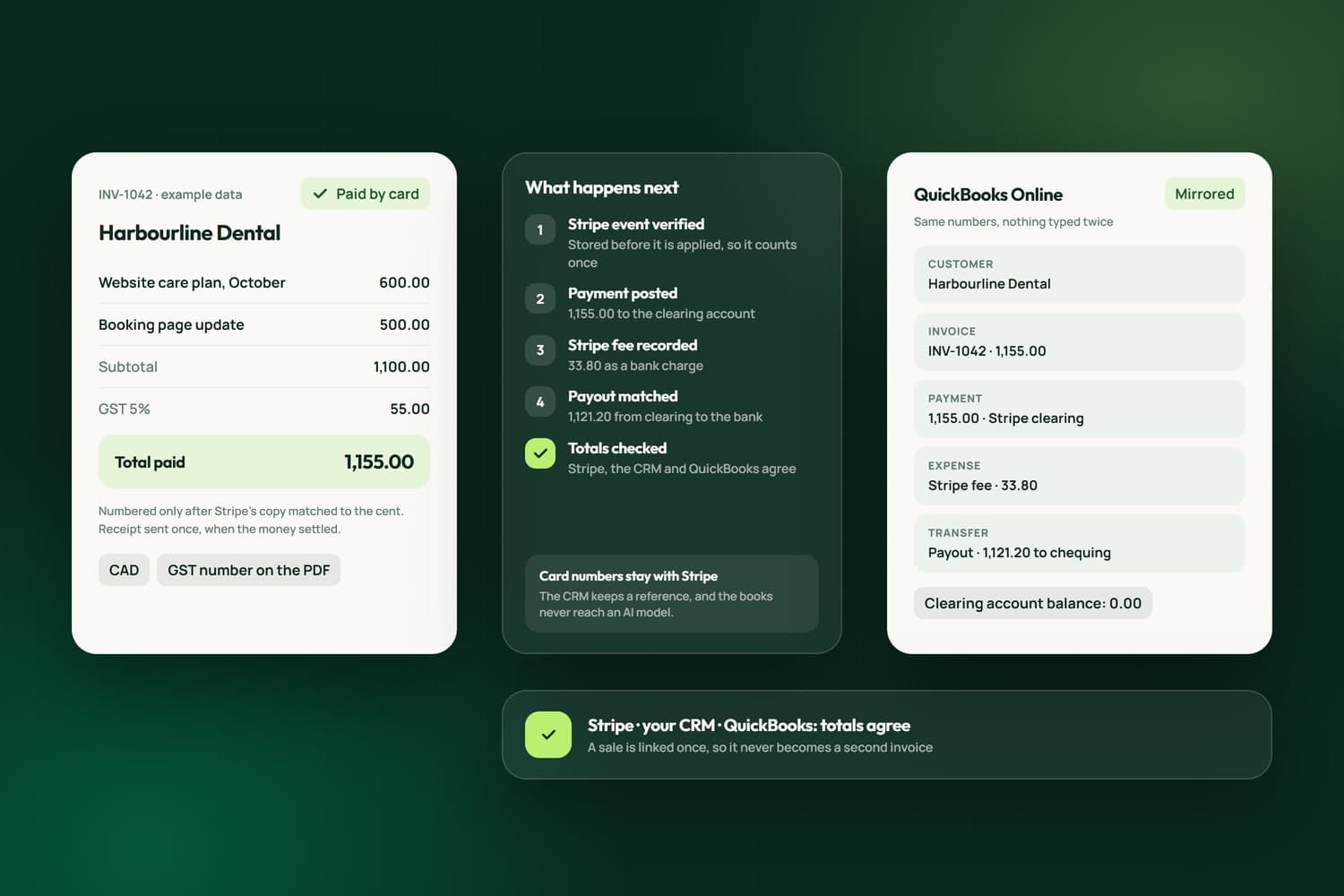
Most small businesses keep their money in three places that do not agree: the invoices in one tool, the card payments in Stripe, and the books in QuickBooks Online, joined by someone retyping totals at month end. We connect them for businesses in Surrey, across the Lower Mainland and elsewhere in Canada, so a payment is recorded once, lands in the books with the same numbers, and every total can be checked against the other two.
We built it for our own business first. In NameCRM, the CRM we run on, every customer, estimate, invoice, payment, refund, fee and payout is mirrored to QuickBooks Online, card money runs through a clearing account so nothing is counted twice, and totals are checked across Stripe, NameCRM and QuickBooks. When Stripe changed the shape of its data, one compatibility layer kept payments, receipts and plans working.
Your bookkeeper keeps working in QuickBooks, with nothing to enter twice. The free assessment looks at where your invoices start and how you are paid, and the scope and estimate come in writing before any work begins.
What we have built
Every line here is live in NameCRM, the CRM our own invoices, card payments and plans run through, with QuickBooks Online holding the books. Each is taken from the product itself.
Counted on September 29, 2026, from the products' own code and test records.
In NameCRMThe CRM we built and run our own business on
See NameCRMCustomers, estimates, invoices, payments, refunds, fees and payouts are mirrored to QuickBooks Online with the same numbers, and card money runs through a clearing account so nothing is counted twice.
See NameCRM3systems checked against each other
Totals are checked across Stripe, NameCRM and QuickBooks, a sale is linked once so it never becomes a second invoice, and nothing merges silently.
Stripe events are verified and stored before they are applied, so a payment is counted exactly once and an invoice marked paid never flips back.
An invoice is finalized through Stripe and checked to the cent; if the totals disagree, the Stripe copy is voided and your draft stays untouched.
One compatibility reader understands every shape of Stripe's data, so a change on Stripe's side cannot quietly break payments, receipts or plans.
A factual receipt goes to the client automatically once the money settles, exactly once, and never says a card was charged when the client paid by e-Transfer.
Refund part or all of a payment, credit an open invoice without moving money, or write it off, and each one reaches the books correctly.
Revenue, expenses and profit by month are read live from QuickBooks' own reports, so the CRM never shows a second answer to the same question.
A rule book files recurring transactions and a review queue catches the rest, so the books are kept every week instead of in a rush at tax time.
Recurring plans collect by emailed invoice or by charging the card on file, and one board shows every running plan with monthly and yearly totals in Canadian dollars.
US dollar payments are stored with the Canadian amount Stripe actually settled, so every revenue total adds up in one currency.
Overdue invoices line up oldest first with reminder drafts that escalate from gentle to firm to final, and a promised-date field shows when a promise is missed.
How we work
The team behind Nametech has built websites and software since 2014, and Nametech Canada Ltd. was incorporated in 2025. Every build follows the same five steps, from a one-page website to a CRM.
Book a Free AssessmentThirty minutes on how work moves through your business today, your website and your tools, then a plain answer on what we would build first.
A written scope and estimate that says what is included and what is not. Nothing starts until you approve it.
We build in small releases you can try as we go, and every release passes our automated tests before it reaches you.
Your records moved in and checked, your team shown how it works, and the switch made on a day that suits you.
Fixes, updates and new features after launch, shipped as small releases with the same tests behind every one.
Related Services
Operations software for orders, invoicing and QuickBooks Online, built around how you work.
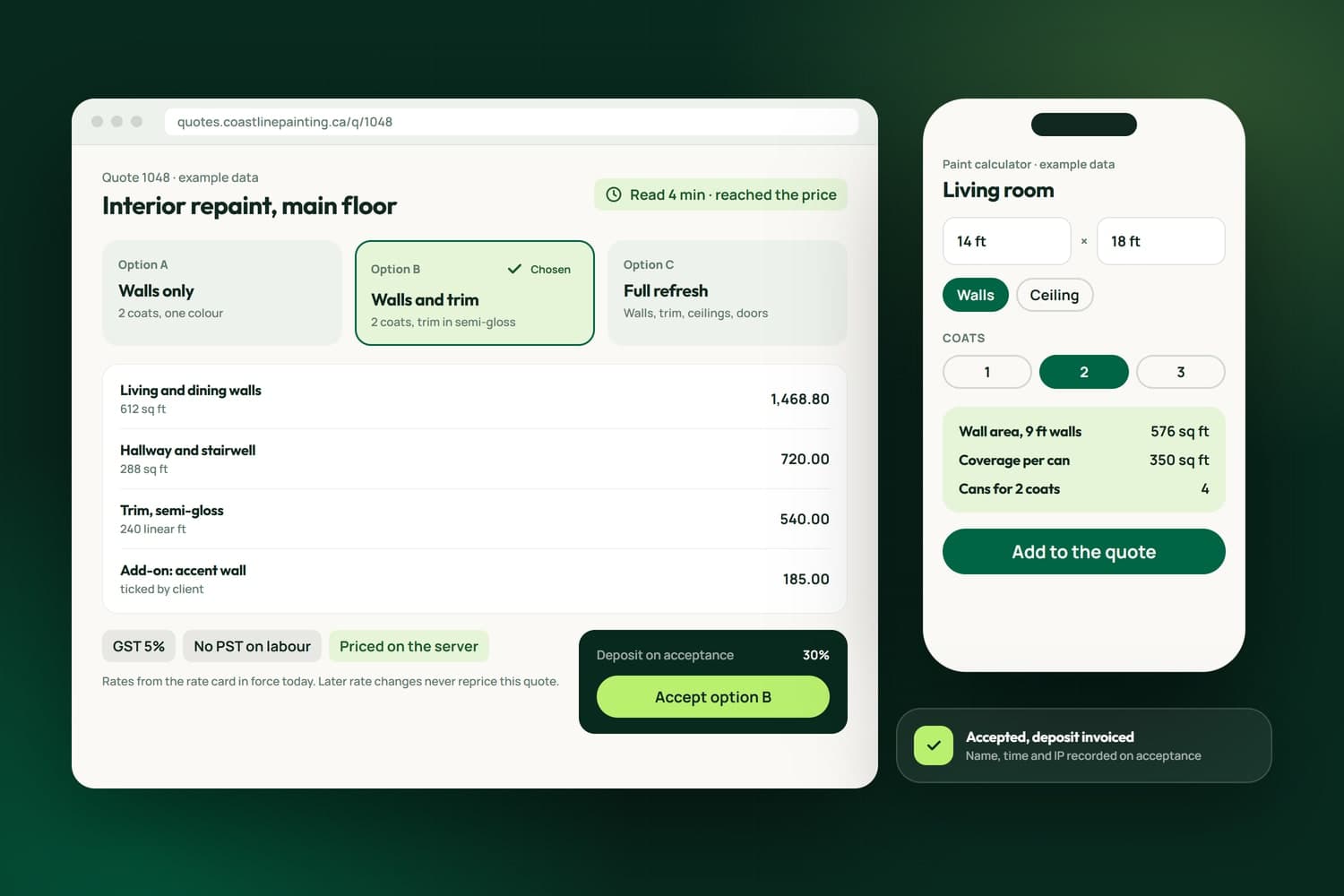
Quotes and estimates priced from your own rates, accepted online, invoiced on acceptance.
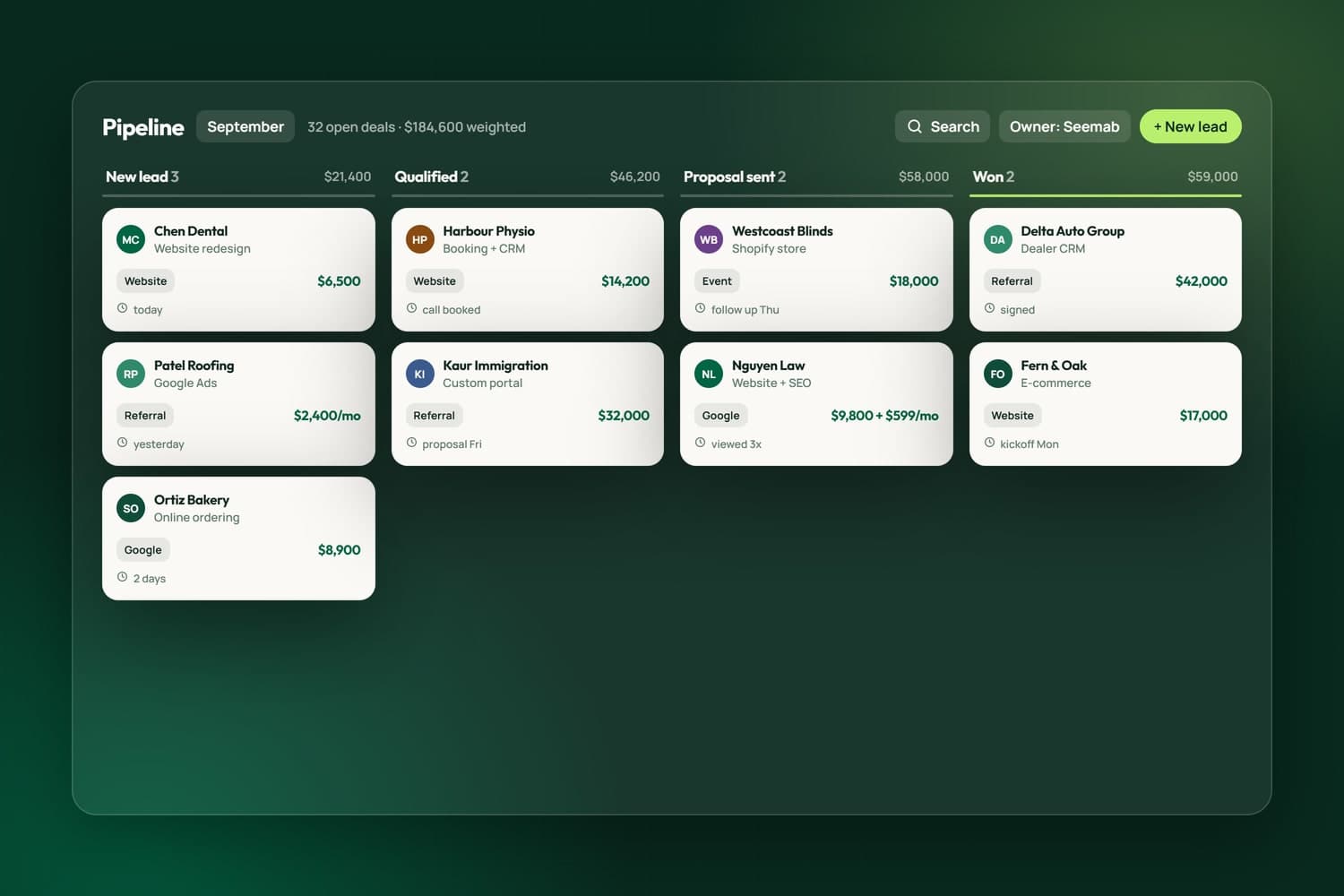
Custom CRMs with client portals, e-signature, QuickBooks and Stripe built in.
Related reading
FAQ's
Yes. We build the flow where your invoices start, in a CRM or operations system we make for you, so each customer, invoice, payment, fee and payout reaches QuickBooks Online with the same numbers. It is the flow our own business runs on in NameCRM, and the free assessment checks what your current tools can share.
No. Card money runs through a clearing account, so the payment and the payout that follows are one amount, not two. Each Stripe event is verified and stored before it is applied, so a payment is counted exactly once, and a sale is linked to its invoice once so it never becomes a second invoice.
Yes. Invoices carry tax per line, including lines with no GST, and can be issued in Canadian or US dollars. A US dollar payment is stored with the Canadian amount Stripe actually settled, so every revenue total adds up in one currency and matches what reached your bank account.
They are recorded against the invoice like a card payment, including part payments, and a part payment never makes Stripe ask the client for too much. The receipt that follows says how the client actually paid, so an e-Transfer is never described as a card charge, and the books show the same payment.
No. It removes the retyping, not the judgement. Your accountant keeps working in QuickBooks Online with nothing entered twice, a rule book files the recurring transactions, and a review queue holds the rest for a person to decide. Books kept weekly make year end a review instead of a rebuild.
Not in what we build. In NameCRM nothing from the accounting side reaches the AI, and an automated test keeps it that way, so a change to the code cannot quietly start sending it. Card numbers never touch the CRM either: Stripe holds every card, and the CRM keeps only a reference to it.
The flow is built to notice rather than break. One compatibility reader understands every shape of Stripe's data, so a change on Stripe's side cannot quietly break payments or receipts, and an invoice is only numbered when Stripe's copy matches ours to the cent; if it does not, Stripe's copy is voided and your draft stays.
No, and we do not claim to be. We are developers who connect QuickBooks Online to the systems we build, and our own books run through that connection every day. For tax, year end and advice on your books, keep your accountant or bookkeeper; the automation gives them clean records to work from.