Skip to content
Nametech Canada

E-signature and client portals for small businesses in BC

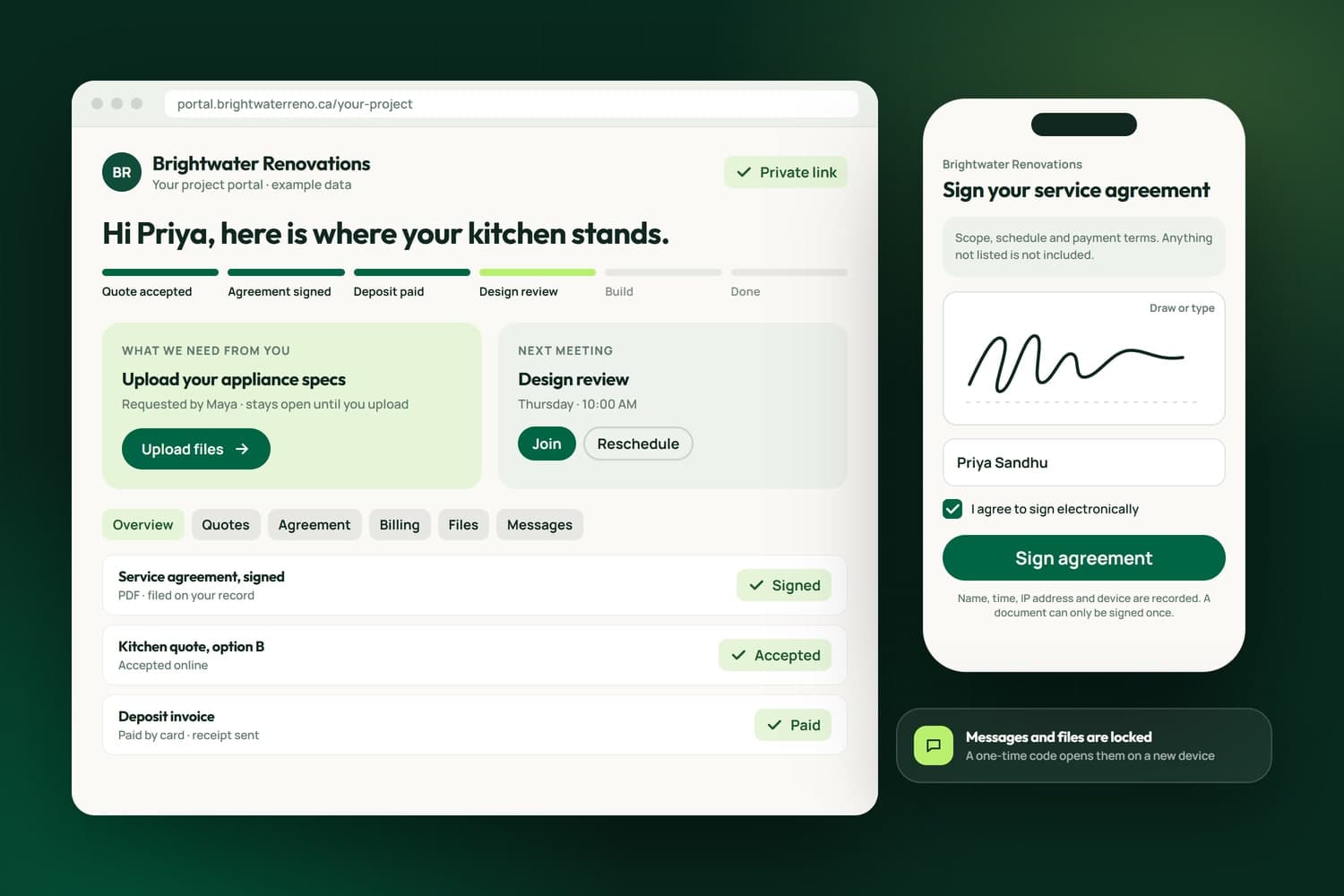
A client portal with example data: the project's steps, what the client still needs to send, the signed agreement filed, and a service agreement signed on a phone

A client portal is the private page where your customer reads the quote, signs the agreement, pays the invoice, sends a file and asks a question, without a chain of emails or a separate app for each step. We build client portals with e-signature built in for businesses in Surrey, across the Lower Mainland and elsewhere in Canada, in your brand and on your own web address.

We run our own business through one. Every client of ours gets a private portal in NameCRM, the CRM we built, where they accept quotes, sign their engagement letter, pay and share files. iFloor, the software we built for flooring stores, gives each homeowner a portal with no password: seven steps from estimate to paid, a signature drawn with a finger on a phone, and a chat with the store and the installer.

So we build a portal around how your work is sold and delivered: which documents need a signature, what the customer has to do next, who on your team answers, and what stays private. It starts with a free assessment, and the scope and estimate come in writing before any work begins.

What we have built

Client portals and e-signature we have built and run

Every line here is live in NameCRM, the CRM our own clients sign and pay through, or in iFloor, where a Richmond flooring store's customers follow their jobs. Each is taken from the product itself.

portals in iFloor: staff, installers and customers
3
steps a homeowner follows from estimate to paid
7
options a quote in the portal can offer
4
days a device stays trusted after its one-time code
30

Counted on September 29, 2026, from the products' own code and test records.

In NameCRMThe CRM we built and run our own business on

See NameCRM
  • NameCRM

    A private portal for each client

    Every client gets a private, branded portal with their deliverables, design previews in a phone frame, estimate, billing, files and messages, fed live by the CRM instead of a second tool to keep in sync.

    See NameCRM
  • NameCRM

    Quotes and invoices in the same place

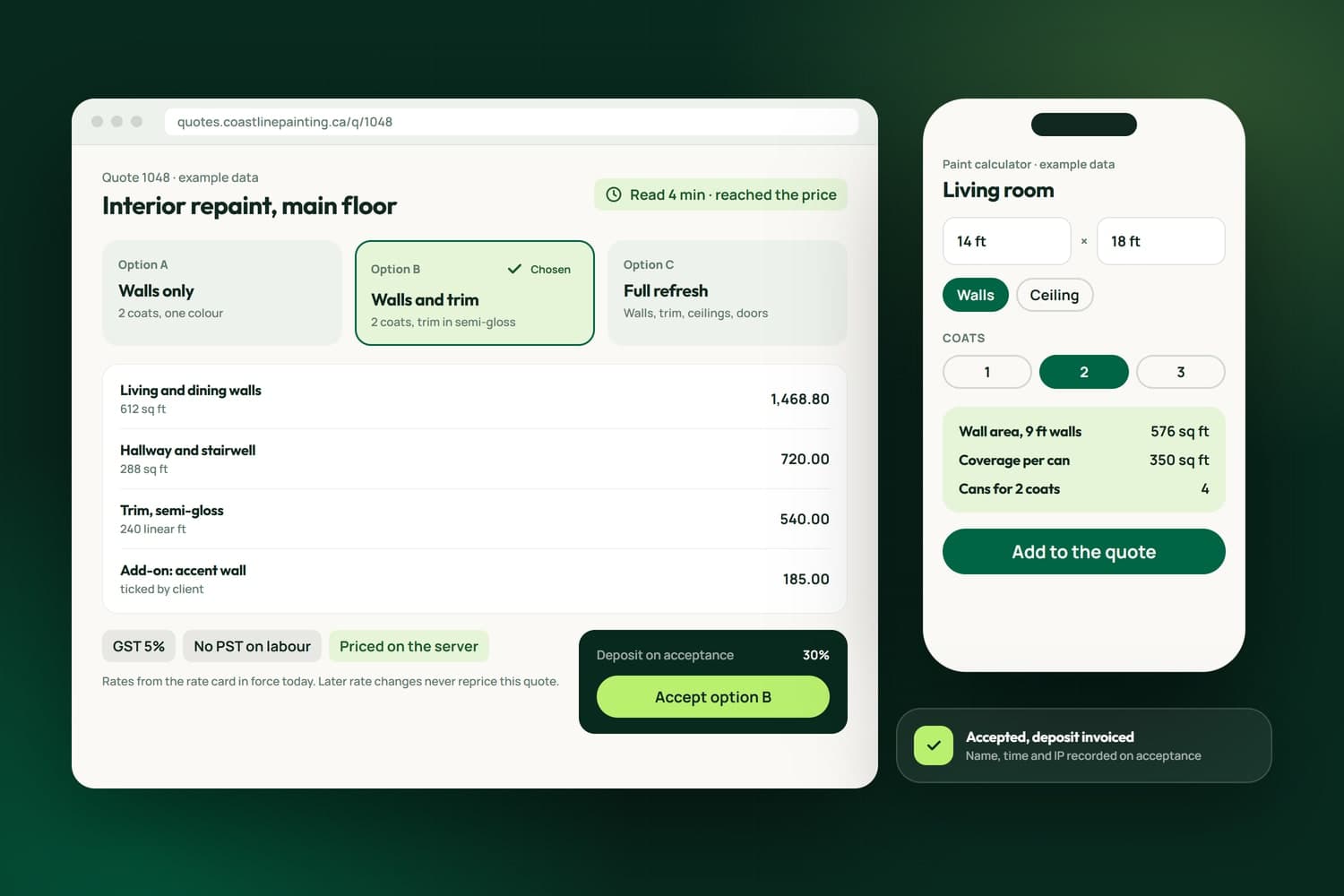
    Clients read, choose and accept quotes inside their portal, then find open invoices with a pay page and PDF, their receipts and their running plan beside them.

  • NameCRM

    Signed on a private page or inside the portal

    Clients sign by drawing or typing their name and agreeing, with the time and IP recorded and double signing blocked, on a private page or with the agreement framed inside their portal.

  • NameCRM

    The signed copy and the next step

    Once a letter is signed, both sides get the PDF with the next step one click away, such as paying the first month or booking a call, and the signed copy is filed in the client's portal.

  • NameCRM

    AI polishes words, never numbers

    AI can rewrite a letter's wording from your intake notes, but a digit lock restores any clause whose numbers changed, and a placeholder left unfilled blocks sending.

  • NameCRM

    10minutes before an unused code expires

    A second key on the private rooms

    Messages and files ask for a 6-digit code emailed to the address on file the first time on a device, valid 10 minutes, and then the device is trusted for 30 days.

In iFloorThe system a Richmond flooring store runs on every day

See iFloor
  • iFloor

    No account, no password

    A homeowner opens one private link to see their job's status, the one next step, documents, photos, money and a chat with the store, without creating an account.

  • iFloor

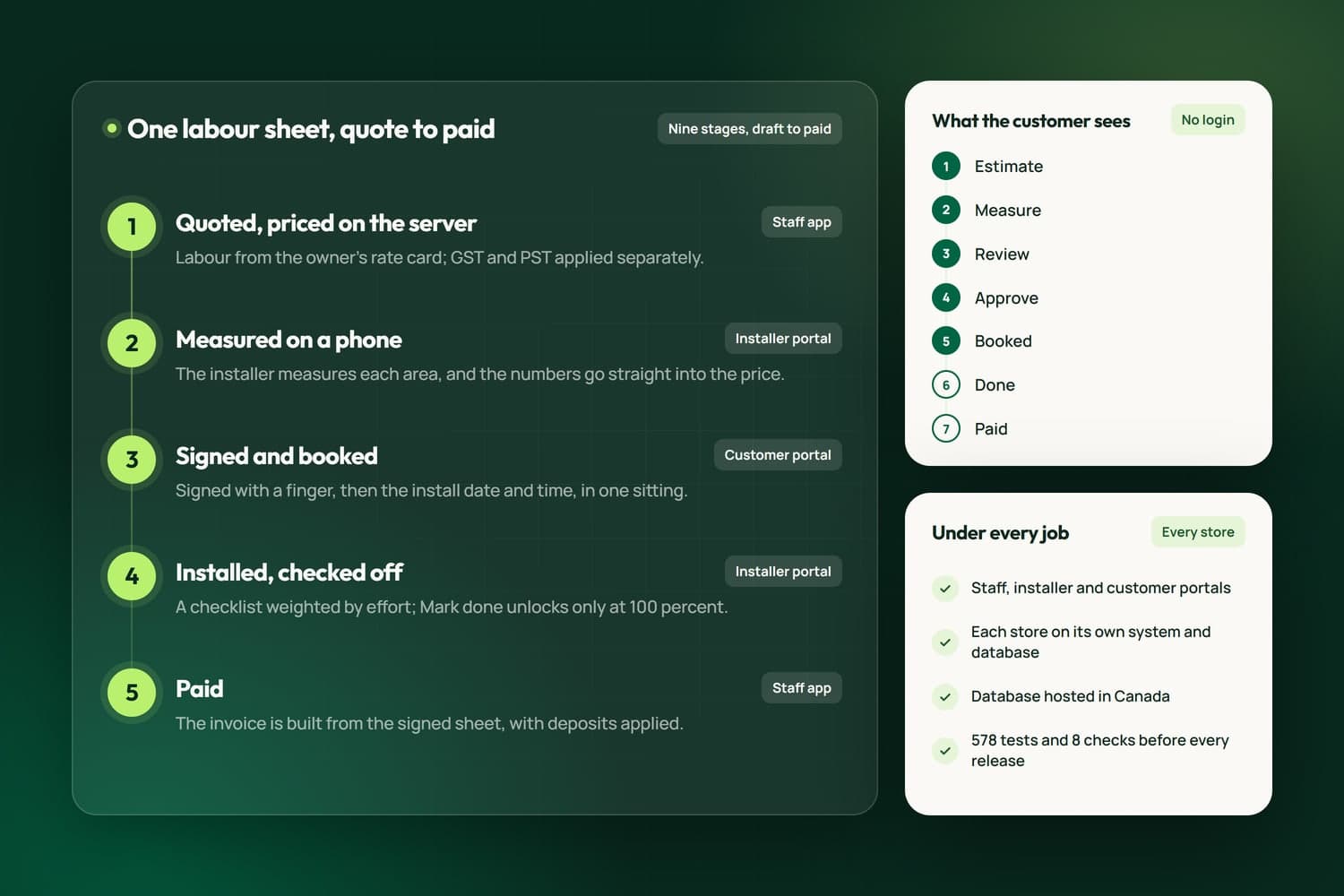
    7steps from estimate to paid

    Seven steps, one next action

    The customer sees seven steps from estimate to paid, driven by the same records staff use so the two views never disagree, and one card at the top for the single thing to do next.

  • iFloor

    Signed with a finger on a phone

    The customer signs with a finger, types their name and ticks consent; the drawn image, name, time, IP address and browser are saved, and nothing can be signed twice.

  • iFloor

    An audit trail you can download

    Staff can download a PDF listing every version of a sheet, every signature request with the name, IP address, browser and time, and every event on it.

  • iFloor

    A higher price needs a new signature

    If the price on an approved sheet goes up, the sheet goes back to the customer to approve again, and the invoice is built from what the customer signed.

  • iFloor

    Your brand from one colour

    A store picks one brand colour and the portal builds a full palette with readable contrast; its name, logo, hours and phone come from its own settings, and customer links carry its own web address.

See every feature behind our E-Signature and Client Portals work69 of the 433 live features of NameCRM and iFloor prove this service. The full list opens filtered to them, one sentence each.Browse the 69

How we work

From a free assessment to a system you own

The team behind Nametech has built websites and software since 2014, and Nametech Canada Ltd. was incorporated in 2025. Every build follows the same five steps, from a one-page website to a CRM.

Book a Free Assessment
  1. Free assessment

    Thirty minutes on how work moves through your business today, your website and your tools, then a plain answer on what we would build first.

  2. Scope in writing

    A written scope and estimate that says what is included and what is not. Nothing starts until you approve it.

  3. Weekly releases, tested

    We build in small releases you can try as we go, and every release passes our automated tests before it reaches you.

  4. Launch

    Your records moved in and checked, your team shown how it works, and the switch made on a day that suits you.

  5. Care

    Fixes, updates and new features after launch, shipped as small releases with the same tests behind every one.

Case studies

Portals we have built

See all our work
How iFloor carries a flooring job from quote to paid on one labour sheet, the seven steps the customer sees, and the three portals

iFloor: Flooring Store CRM

iFloor is the operations software Nametech built for flooring stores: one labour sheet from quote to paid, priced on the server, measured on a phone and signed online, with portals for staff, installers and customers, and calls, texts and email inside the app.

View project
Enterprise Online Hub System

Enterprise Online Hub System

A secure online hub built in Surrey that gives users one sign-in for their applications, with automated eligibility checks, guardian access, scheduling and a real-time community dashboard.

View project

Related Services

Explore our related services

All web and marketing services

Custom CRMs with client portals, e-signature, QuickBooks and Stripe built in.

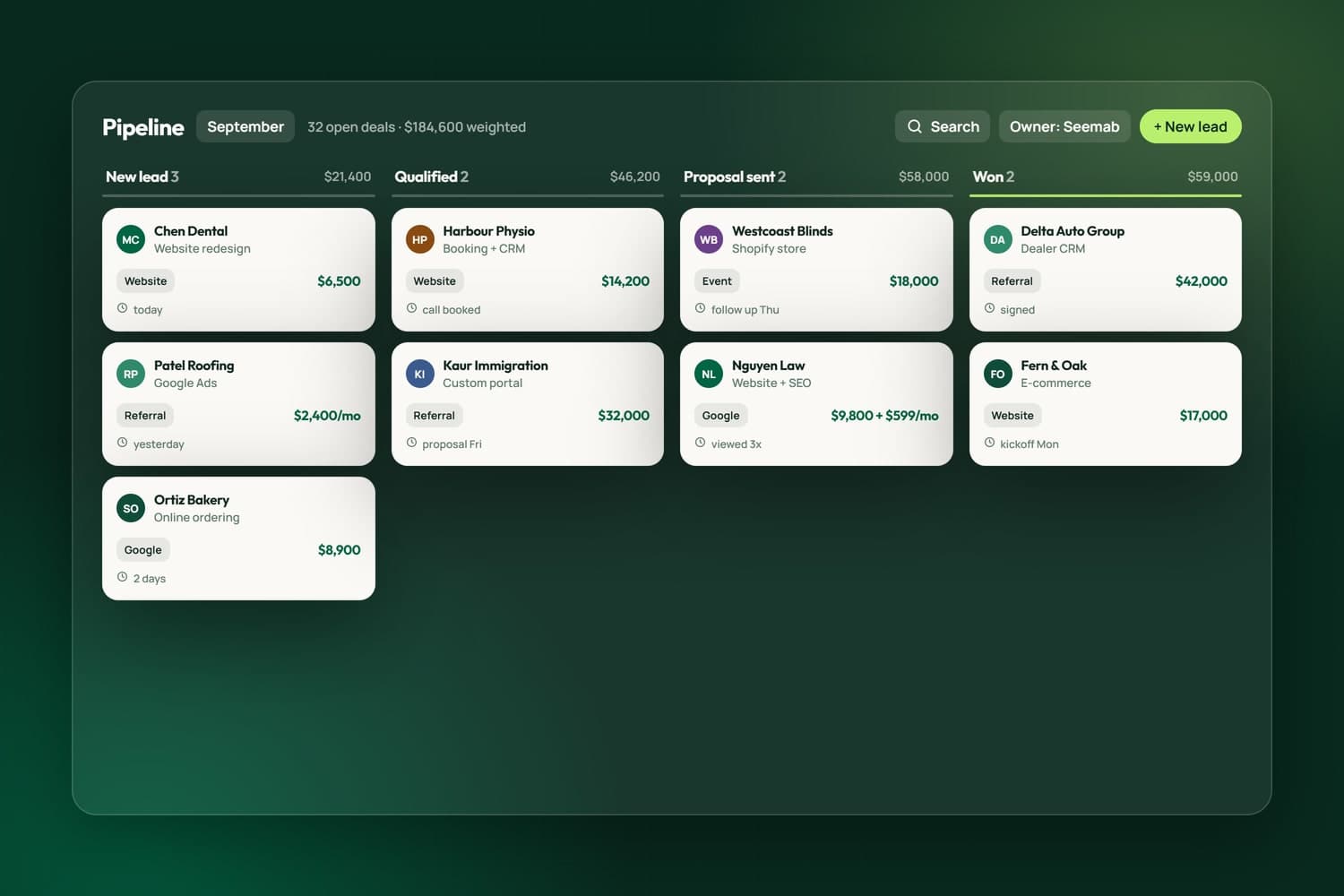
CRM pipeline from lead to won

FAQ's

Frequently asked question

What is a client portal, and does my business need one?

A client portal is one private page per customer where quotes, agreements, invoices, files and messages live together. It earns its place when clients sign or pay more than once, send files, or phone to ask where things stand. If most jobs are one call and one invoice, you do not need one, and we will say so.

Do my clients need an account or a password?

No. A signed link in an email or text opens the portal directly, and a homeowner in iFloor never creates an account. For the private rooms we add a second key: Messages and Files ask for a 6-digit code sent to the address on file, then trust that device for 30 days.

Is an electronic signature valid in British Columbia?

For most business agreements, yes. BC's Electronic Transactions Act says a legal requirement for a signature is met by an electronic one, with exceptions such as wills, powers of attorney and documents that transfer an interest in land. We record who signed and when; for a document with special legal weight, ask your lawyer first.

What is recorded when a client signs?

The signer's typed name, the time, the IP address and, on iFloor, the drawn signature and browser, with consent ticked and a second signature on the same document refused. Staff can download a PDF of every version, every signature request and every event, and the signed copy is filed on the client's record.

Can clients pay inside the portal?

Yes. The portal shows open invoices with a pay page and a PDF, receipts and the running plan. After signing a monthly agreement a client pays the first month by card in one step, the card is saved for later months, and a receipt goes out once when the money settles.

Can you add a portal to the CRM or website we already use?

We start by checking what your current tools can share, because a portal is only as current as the records behind it. Ours read live from the CRM underneath, so nothing is copied by hand. If your tools cannot share records reliably, the assessment says so and recommends the simplest path, including a CRM built around the portal.

How is this different from a signing app or a portal subscription?

A standalone signing tool handles one step, and your client meets its brand instead of yours. In a portal we build, the signature sits between the quote the client accepted and the invoice that follows, on one record in your colours and on your web address, so nobody retypes a price or chases a signed copy.

Who owns the portal and the signed documents?

You do. The signed agreements, the client records and the files are your business records, and the code we write for you is yours once the project is paid. In NameCRM one click exports everything as a zip of spreadsheet files with a manifest of the files, so your records never depend on us.