
NameCRM on your phone, with a private team chat for your staff
NameCRM installs on your phone and computer from the browser, and every desktop page is reachable on a phone. Notes and tasks made without signal wait and replay safely when you reconnect, and your staff message each other in private one to one chats.
In this guide
In short
- What it is: NameCRM as an installable app for phone and desktop, with the whole CRM on a phone, notifications you can act on, dictation, and a private one to one team chat for your staff.
- Who it is for: owners and small teams who work from their phones on site or on the road, and want staff messages beside the client records instead of in another app.
- How you get it: NameCRM installs from the browser on a phone or a computer. It is not in an app store, and your team needs no separate chat app.
- Where the data is kept: client records and files, team chat photos and files included, are stored in Canada. The application's servers are in the United States, and its AI services run outside Canada too.
How it works
From the install to a team that stays in touch
Install it from the browser
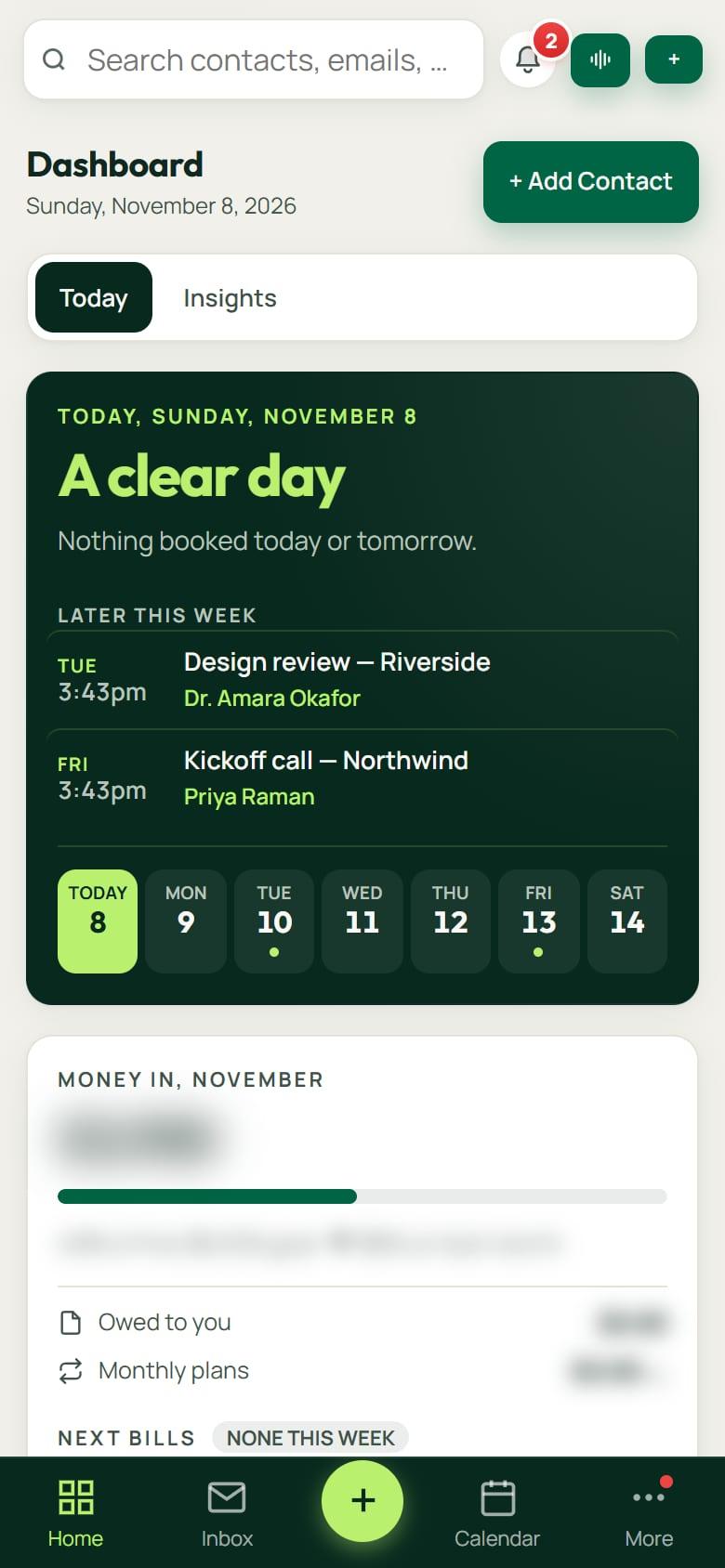
Open NameCRM in your phone's or computer's browser and install it. It gets its own icon, app shortcuts, a splash screen and a bottom bar with a Calendar slot, and every desktop page is reachable on the phone.
Choose what buzzes
Switch notifications on or off for seven kinds, on each device, and see which devices they reach. Each notification carries the buttons the moment needs, such as a reply typed right in it, call back, text back or add a note.
Keep working without signal
Notes, tasks and edits made without a connection wait in an outbox and replay safely when you are back online. Share a photo from any phone app and it becomes a card scan, or share a link and it becomes a note.
Message your team
Staff message each other one to one with photos, files, voice notes, replies and reactions. Each chat stays private to the two people in it, owners included, and shows Seen once read and Active now while a teammate is in NameCRM.
Chats follow you
On a computer, team chats, client portal chats and client texts open in small windows at the bottom right of any page. A teammate's message reaches every device where you switched notifications on, even with NameCRM closed.
An example
A roofing day run from a phone
Marco runs a small roofing company, and most days his office is his truck. He installed NameCRM from his phone's browser, so it opens from its own icon with Calendar in the bottom bar. Before he drives to the first job, he taps a client's number on their record to call ahead.
On the roof there is no signal. He types a note on the client's record about soft decking near the chimney and adds a task to order flashing. Both wait in the outbox on his phone and replay safely when he drives back into coverage.
At the supply yard a sales rep hands him a business card. He shares a photo of it from his photos into NameCRM, and it becomes a card scan.
His crew lead, Tess, sends him a team chat message with a video of the ridge. It arrives at full quality, and Marco's phone buzzes even though NameCRM is closed. He holds to record a voice note back, listens to it before it goes, and sends it.
That evening at his laptop, Tess's chat sits in a small window at the bottom right of the page while he dictates a reply to a client's text in another. Her chat shows Active now, and nobody else on the team can read it, owners included. He gives the flashing task a time of 7 am, and with Tasks due switched on, his phone buzzes then.
The names in this example are made up.
Every feature
Everything the app and team chat do today
Each card is one feature, in the words of NameCRM's own feature records. Live means it runs every day in our own agency; NameCRM is not on sale yet.
NameCRM on your phone, signal or not10 features
Dictation everywhere
A microphone button on the composer, notes and texts lets you dictate, and it stays on until you turn it off.
Installable app
NameCRM installs on phone and desktop with app shortcuts, splash screens and a Calendar slot in the bottom navigation.
Works offline
Notes, tasks and edits made without a connection wait in an outbox and replay safely when you are back online.
Push with per-type control
Push notifications have on and off switches for seven kinds on each device, a list of the devices they reach, and a removed team member stops getting them on all their devices.
Act from the notification
Notifications carry the buttons the moment needs: reply typed right in the notification, call back, text back, listen live, take over or add a note.
The whole CRM on a phone
Every desktop page is reachable on a phone through a five-slot bottom bar and sheets, with swipe actions on rows and nothing sliding sideways.
Tap to call, text or email
Every phone number and email in the CRM is tappable to call, text, email or copy, with a long-press menu.
Touch-first phone calendar
The calendar on a phone is touch-first, with long-press to move meetings and smooth horizontal swipes between days.
Timed tasks buzz your phone
Give a task a time and, with Tasks due switched on in Settings, your phone buzzes at that time even with NameCRM closed; today every teammate's phone buzzes too.
Team chat for your staff5 features
Team chat inside the CRM
Your staff message each other one to one inside NameCRM with photos, files, voice notes, replies, reactions, edits within 15 minutes, unsend and Seen once read, and each chat stays private to the two people in it, owners included.
Chat windows on every page
On a computer, team chats, client portal chats and client texts open in small windows at the bottom right of any page and shrink to round heads; a teammate's new message pops open while a client's counts up.
Team messages reach every device
A teammate's message notifies every phone and computer where you switched notifications on, at any hour, even with NameCRM closed; a muted chat stays quiet, and unread team messages wait in the bell with a count.
See when a teammate was active
The team chat shows Active now while a teammate is in NameCRM, or how long ago they last were, even after a reload, with typing dots as they write.
Full quality photos and video
Team chat sends photos and videos at full quality, or smaller with HD off; where the browser can, a video of 100 MB to 2 GB is shrunk on your own device to fit under 100 MB.
Limits
What it does not do yet
NameCRM is not in Apple's App Store or Google Play. It installs from the browser, and a native app is planned, not built.
Team chat is one to one today. Group chats are planned, not built.
When a timed task is due, every teammate's phone buzzes today, not only the phone of the person it belongs to.
Offline, NameCRM keeps notes, tasks and quick edits. Larger forms, such as a new contact, a project or a payment, need a connection and say so.
Dictation uses the browser's own speech service, so on a browser without one, such as Firefox, the microphone button does not appear.
FAQs
Questions about the NameCRM app and team chat
Is there a NameCRM app for iPhone and Android?
NameCRM installs from the browser on phones and computers, with its own icon, app shortcuts and a splash screen, but it is not listed in Apple's App Store or Google Play. Every desktop page is reachable on a phone through a five-slot bottom bar, and notifications carry buttons to reply, call back or add a note.
Does NameCRM work without an internet connection?
Partly. Notes, tasks and edits made without a connection wait in an outbox on your device and replay safely when you are back online. Larger forms, such as a new contact, a project or a payment, need a connection, and they say so rather than pretend to save.
Can an owner read the team's private chats?
No. Each team chat is private to the two people in it, owners included. Staff message each other one to one with photos, files, voice notes, replies and reactions, can edit a message within 15 minutes or unsend it, and see Seen once it has been read.
Do team messages arrive when NameCRM is closed?
Yes, on every phone and computer where notifications are switched on, at any hour. A muted chat stays quiet, and unread team messages wait in the bell with a count. When you remove someone from the team, every one of their devices stops getting notifications.
What do the app and team chat cost?
The app and team chat come with NameCRM, and NameCRM is not on sale yet. Request access and we will walk you through it on your own work. Pricing is set with you after that walkthrough, because every business is set up differently. To talk it through now, call 604-900-2060.
Can you build a mobile app or team chat into my own business system?
Yes. Nametech Canada builds custom software for other businesses, and an installable app, offline notes or a private team chat can be part of it, using the same work that made NameCRM's app and team chat. Start with a free 30-minute assessment, and we will tell you what your system would need.
Custom software
Want a phone app or team chat in your own system?
Any of these features can also be custom built into a new system for your business, by the team that made NameCRM. Start with a free 30-minute assessment.
Other parts of NameCRM
- Clients, pipeline and follow-up
- Lead capture and website assessments
- Email and AI drafting
- Texting and business phone
- Calendar, booking and meetings
- Quotes, letters and e-signature
- Invoices, payments and QuickBooks
- Client portal and files
- Newsletters and campaigns
- Reports and dashboard
- Integrations
- AI receptionist
- Security