NameCRM calendar and meetings: Google Calendar sync, a booking page and recorded meetings with AI summaries
NameCRM's calendar syncs both ways with Google Calendar within seconds, and clients book your real free time from a public page. Record a meeting from your phone, and AI turns it into a transcript, a summary and the promises made, for you to accept.
In this guide
In short
- What it is: a calendar with day, week, month and agenda views that syncs both ways with Google Calendar, a public booking page, reminders, and meetings recorded from your phone with live captions and an AI summary.
- Who it is for: service businesses that book calls and visits with clients, meet in person or on Google Meet, and need what was promised in a meeting written down.
- What it needs: a Google Calendar for the two-way sync and the Google Meet links, and a phone to record meetings on.
- Where the data is kept: client records and files, recordings included, are stored in Canada. The application's servers are in the United States, and its speech and AI services run outside Canada too; our AI trust page names each one.
How it works
From a booking to a meeting that is followed up
Connect Google Calendar
Changes in NameCRM reach Google at once, and changes made in Google arrive within seconds, with an hourly safety check. Guests' replies show on each meeting, and an edit in NameCRM never wipes a guest's acceptance.
Set when you can be booked
Define meeting types with a length, buffers, minimum notice and a daily cap, then your working hours, blocked dates and statutory holidays. The booking page offers only your real free time, in the client's own timezone.
A booking sets everything up
The person who books gets a confirmation email from you with a calendar file, a confirmation text and a private link to reschedule or cancel. The booking also finds or creates their client portal, and the confirmation carries its link.
Walk in prepared
One click on any appointment gives a brief: who they are, open deals, the last three exchanges and up to six talking points. For an in-person meeting, the calendar suggests vetted spots near you, near the client or halfway.
Record the meeting
Two taps on the contact starts a recording on your phone, with live captions as people speak. It uploads in pieces as it goes, and it warns you within seconds when the microphone is muted.
Settle what was agreed
Afterwards the transcript is split by speaker, and AI proposes a summary with wants, promises, tasks and money for you to accept or decline. Mark the meeting completed, no-show or cancelled, and a follow-up is prompted.
An example
A design consult, from the booking page to the follow-up
Nadia runs a small interior design studio and works without an office. On a Sunday evening a homeowner named Ravi opens her booking page, picks a consult time from her real free hours, and answers the short questionnaire about the rooms he wants to change. His answers land on his new record as a pinned note, and Nadia gets a notification and an email.
Ravi receives a confirmation email from Nadia with a calendar file, a text, and a link to his own client portal, which the booking created. Nadia would rather meet in person, so she switches the meeting to In Person. The calendar suggests vetted spots halfway between them, checked against the day and time. She picks a café, and Ravi is told once about the new place.
The day before, his email reminder arrives, and another comes 30 minutes before they meet. That morning Nadia opens the one-click brief on the appointment: who he is, their last exchanges and a few talking points.
At the café she taps record on Ravi's contact. Captions run on her phone as they talk about storage and lighting, and the copilot points out which questions on her checklist are still open.
Back at her desk, the transcript is split by speaker. The AI proposes a summary, what Ravi wants, what Nadia promised, tasks and money. She accepts the task to send him sample boards by Friday and declines a line she does not agree with. She marks the meeting completed, and NameCRM prompts her to follow up.
The names in this example are made up.
Every feature
Everything the calendar and meetings do today
Each card is one feature, in the words of NameCRM's own feature records. Live means it runs every day in our own agency; NameCRM is not on sale yet.
Your calendar and the booking page14 features
A booking makes the client's portal
A new booking finds or creates the client's portal, branded from their own website, and the confirmation email carries its link.
What sets it apartEvery new client arrives with a portal and nobody sets it up by hand.
Suggest a place
For in-person meetings the calendar suggests vetted spots near you, near the client, halfway or in any city, checked against the day and time.
What sets it apartBuilt for businesses without an office.
A Google-grade calendar
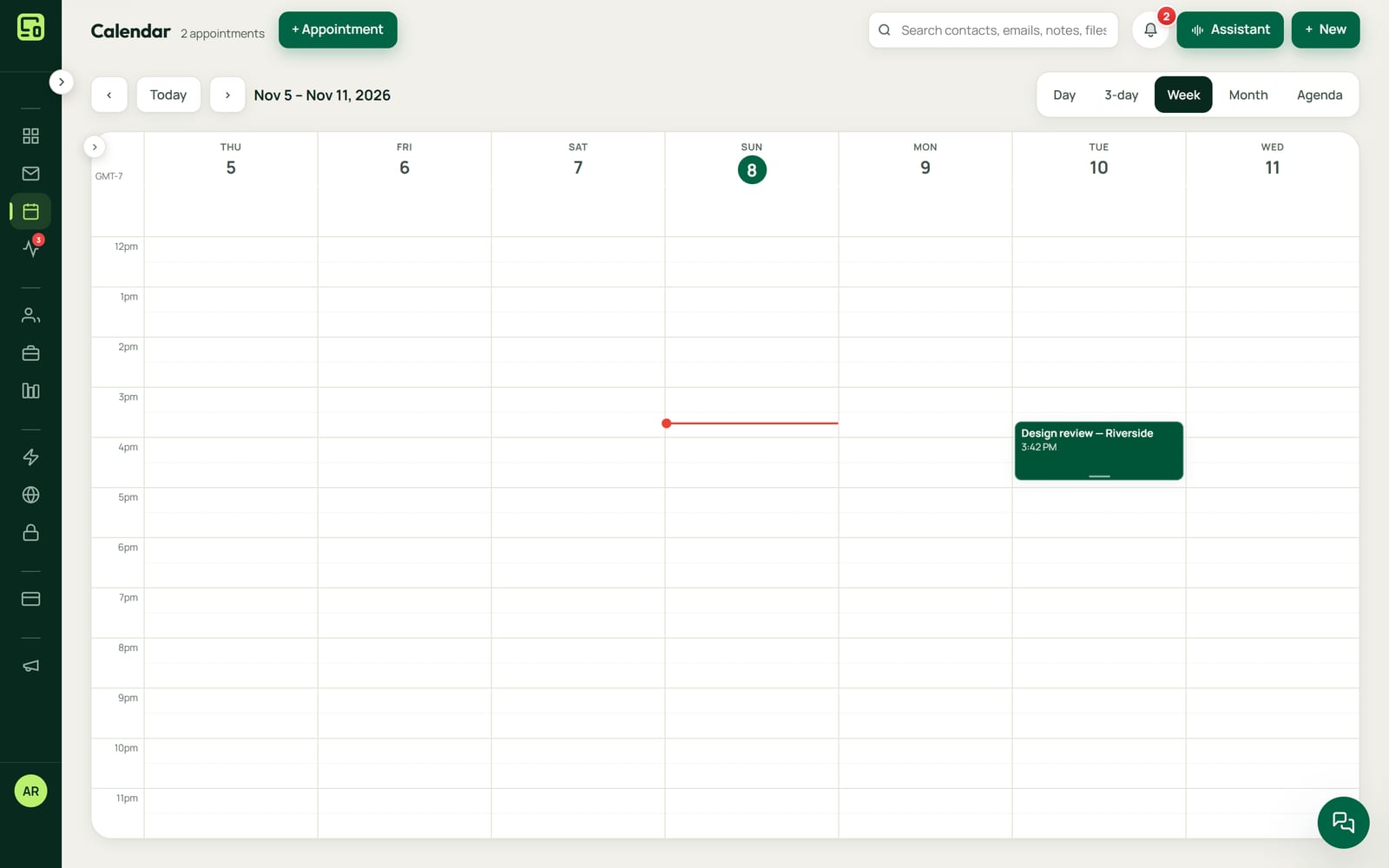
Day, three-day, week, month and agenda views with drag to move and resize on a 15-minute snap, recurrence, guests and Google colours, built to feel like Google Calendar.
Two-way sync in seconds
Changes in NameCRM reach Google instantly, and changes made in Google arrive within seconds through a push channel with an hourly safety check.
Invite receipts and guest replies
Calendar invites show Google's receipt and every guest's reply on their chip, and an edit in NameCRM never wipes a guest's acceptance.
Google Meet links and invites
Toggling Google Meet mints a real Meet link and ticks the invite email, with contacts suggested as guests.
Public booking page
Clients book from your real free time in their own timezone, with lead time and business days respected, reschedule or cancel from a private link, and are never offered a time when the calendar cannot be checked.
Pre-call questionnaire
Prospects answer a short questionnaire that adapts to the topics they picked, and the answers land as a pinned note, a notification and an email before the call.
Bookers get a branded confirmation
The person who books gets your own branded confirmation email and a text with a deep link, plus a Google Meet link when online; changes and cancellations go the same way, and Google emails nobody.
Everyone told when a meeting changes
When a meeting is moved, cancelled or its place changes, everyone on it is told once, whichever screen made the change, and a change made in Google Calendar is checked with the owner before the client is told.
Meeting types and availability
Define bookable meeting types with duration, buffers, minimum notice and a daily cap, plus working hours, blocked dates and statutory holidays that booking honours.
Book from the client page
A scheduler on the client's own page shows your real month and availability and books without leaving the record.
Private calendar feed
A private, rotatable subscribe link puts your NameCRM calendar on any phone calendar, and booking confirmations carry a calendar file.
Appointment reminders
Clients are reminded by email 24 hours and 30 minutes before a meeting, a moved meeting is reminded for its new time, and a reminder never fires twice.
Meetings recorded, summarized and followed up8 features
Follow-up loop and no-show tracking
After a meeting you record completed, no-show or cancelled with a note, a follow-up is prompted, and repeated no-shows flag the contact.
Summary, promises and money
After a meeting the transcript is split by speaker, and AI proposes a summary plus wants, promises, tasks and money for you to accept or decline.
What sets it apartSuggestions stay separate from your own notes until you accept them.
Record meetings from your phone
Two taps on a contact starts a recording that uploads in pieces as it goes, survives moving around the app, and loses at most one piece if the battery dies.
Live captions
Meeting words appear on screen as they are spoken, and the recording never depends on the caption connection.
A meeting you can open and hear
Each meeting becomes a record you can open, search, replay from any line, and act on.
Live meeting copilot
About every 20 seconds the copilot suggests what to say next and which checklist questions are still open, and drops any suggestion it cannot quote from the conversation.
One-click meeting brief
One click on any appointment gives who they are, open deals, the last three exchanges and up to six talking points, and still works if the AI does not answer.
Recorder warns when it hears nothing
If a recording hears nothing, it warns you within seconds when the microphone is muted and within about half a minute when it is silent, offers another microphone in one tap, and a meeting that saved no audio says so.
Limits
What it does not do yet
Two-way sync is with Google Calendar only. A calendar kept in Outlook does not sync with NameCRM today, though a private subscribe link can put NameCRM's calendar on any phone calendar.
Each person on the team connecting their own Google calendar is being built, not live yet.
The client's portal saying you are already waiting in the meeting is built but not switched on, and reading the Google Meet room itself waits on Google's permission.
Business days, statutory holidays and times follow British Columbia and Pacific time today. Other regions come later.
FAQs
Questions about the NameCRM calendar and meetings
Does NameCRM sync with Google Calendar and Outlook?
It syncs both ways with Google Calendar. Changes in NameCRM reach Google at once, and changes made in Google arrive within seconds, with an hourly safety check. An Outlook calendar does not sync with NameCRM today. A private, rotatable subscribe link can put your NameCRM calendar on any phone calendar.
What does a client see when they book a meeting?
Only your real free time, in their own timezone, with your lead time and business days respected, and never a time when your calendar cannot be checked. They get a confirmation email from you with a calendar file, a text, a private link to reschedule or cancel, and a link to their client portal.
Does NameCRM remind clients before a meeting?
Yes. Clients are reminded by email 24 hours and 30 minutes before a meeting, a moved meeting is reminded for its new time, and a reminder never fires twice. When a meeting is moved, cancelled or changes place, everyone on it is told once, and a change made in Google Calendar is checked with you first.
How does NameCRM record a meeting?
Two taps on a contact starts a recording on your phone. It uploads in pieces as it goes, so a dying battery loses at most one piece, and live captions show the words as they are spoken. Afterwards AI proposes a summary, promises, tasks and money, and nothing joins your notes until you accept it.
Is meeting audio used to train the AI?
No. Every meeting sent for transcription carries the opt-out that stops the speech service training on your clients' audio, and we have set each AI provider so that the content we send is not used to train their models. Recordings are stored in Canada; the speech and AI services run outside Canada.
What do the calendar and meeting tools cost?
The calendar, booking page and meeting tools come with NameCRM, and NameCRM is not on sale yet. Request access and we will walk you through it on your own work. Pricing is set with you after that walkthrough, because every business is set up differently. To talk it through now, call 604-900-2060.
Can you build online booking like this for my own business?
Yes. Nametech Canada builds online booking into custom systems for other businesses, using the same work that made NameCRM's booking page and calendar. Start with a free 30-minute assessment, and we will tell you what your booking would need and whether it should sync with the calendar you already use.
Custom software
Want booking and meeting notes in your own system?
Any of these features can also be custom built into a new system for your business, by the team that made NameCRM. Start with a free 30-minute assessment.
Other parts of NameCRM
- Clients, pipeline and follow-up
- Lead capture and website assessments
- Email and AI drafting
- Texting and business phone
- Quotes, letters and e-signature
- Invoices, payments and QuickBooks
- Client portal and files
- Newsletters and campaigns
- Reports and dashboard
- Mobile app and team chat
- Integrations
- AI receptionist
- Security